 App Inventor Extensions
 Geofence Extension
See the App Inventor Extensions document about how to use an App Inventor Extension.
For questions about this extension or bug reports please start a new thread in the
App Inventor community. Thank you.
For feature requests please contact me by email.
To be a sponsor of a new method already is possible starting from only 10 USD! With your contribution you will help the complete App Inventor community. Thank you.
Nov 14th, 2025: Version 6: initial public version (prior versions are test versions).
The Geofence Extension brings powerful, reliable location automation to your App Inventor projects.
Create geofences that automatically trigger enter, exit, or dwell events - even when your app is closed or the device has rebooted.
You can optionally display notifications, call background procedures via Itoo, or send web requests to your server or database whenever a geofence is triggered.
This extension is built on the official
Google Geofencing API, ensuring high accuracy and excellent battery efficiency.
A built-in foreground service keeps monitoring stable and prevents Android from unexpectedly stopping your app.
Sometimes users want to use a particular app when they are in a specific type of location, such as an airport, or a supermarket.
However, users have to navigate to that app and then take a specific action within it while they are near the area of interest.
The geofencing API allows you to define perimeters, also referred to as geofences, which surround the areas of interest.
Your app gets a notification when the device crosses a geofence, which allows you to provide a useful experience when users are in the vicinity.
For example, an airline app can define a geofence around an airport when a flight reservation is near boarding time.
When the device crosses the geofence, the app can send a notification that takes users to an activity that allows them to get their boarding pass.
The Geofencing API intelligently uses the device sensors to accurately detect the location of the device in a battery-efficient way.
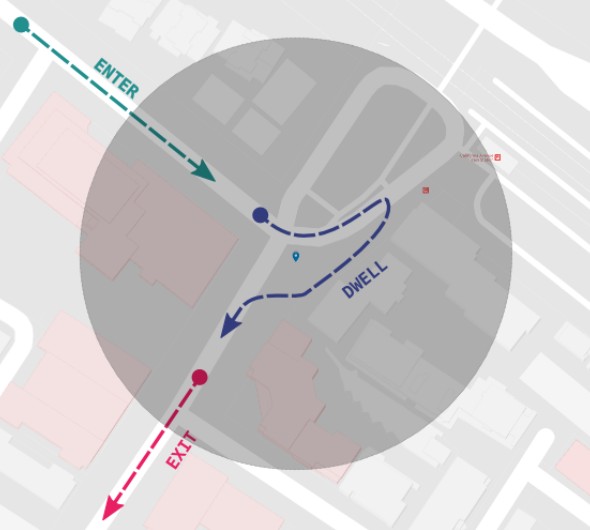
text and grafik by Google taken from here
This extension uses Kumaraswamy's itoox-wrapper library, which allows direct invocation of Itoo (if installed) to call procedures from the background.
This enables sending trigger data - e.g., via Web component - to your preferred backend:
MySQL, Firebase, Google Sheets, email, or any web service.
After a device reboot, all geofences are automatically recreated.
Thanks to Simon for sponsoring this extension.
Minimum Android version: 8 (API 26)
Required permissions:
- android.permission.ACCESS_NETWORK_STATE
- android.permission.INTERNET
- android.permission.POST_NOTIFICATIONS
- android.permission.ACCESS_FINE_LOCATION
- android.permission.ACCESS_BACKGROUND_LOCATION
- android.permission.FOREGROUND_SERVICE
- android.permission.FOREGROUND_SERVICE_LOCATION
- android.permission.RECEIVE_BOOT_COMPLETED


SmallIcon for notification. Recommended size is 96x96.

Title to be displayed in the notification. Default value is 'Geofence Trigger'.

Title to be displayed in the notification. Default value is 'Geofence Monitoring...'.


Specifies whether a notification should be sent after a geofence was triggered. Default Value is true.


Loitering delay in milliseconds for transition type DWELL. Default = 10000 (i.e. 10 seconds).

Reference screen for Itoo where the procedure 'OnTrigger' exists. It is advised to set the Reference screen property before Starting the service initially.
Or if no property is set, the extension will take "Screen1" as the reference by default.
OnTrigger has the arguments transition, triggeredId, latitude, longitude and accuracy.


Create geofence object. The id is a text of your choice to identify your geofence, radius is in meters,
choose one or more transition types (enter, exit or dwell) just set to true or false, default transition types are enter and exit,
expirationDuration in milliseconds can be set to -1 to have no expiration.

Remove geofence object of a given id. The id is a text of your choice to identify your geofence.

Remove all geofence objects.
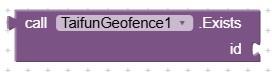
Returns true if geofence id exists in the geofence list.

Return geofence objects in JSON format, i.e. a JSON array.

Get size of geofence list.

Return geofence ids as list.
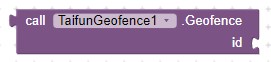
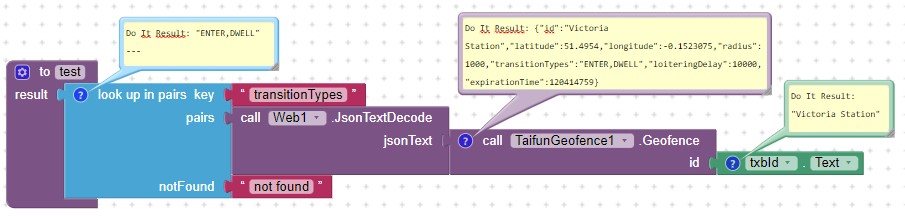
Return geofence of a given id in JSON format, i.e. a JSON object.
Example blocks to get the transaction types of a given geofence id:

Start Geofence monitoring.
Note: You will have to build the app to be able to use this method.

Stop Geofence monitoring.
Note: You will have to build the app to be able to use this method.

Returns true, if Google Play Services is available.

Returns true, if GPS is enabled, else false.

Returns true, if basic location permissions have been granted, else false.

Returns true, if background location permission has been granted, else false.

Returns true, if post notifications permission has been granted, else false.

Request Basic Location Permission.
Note: You will have to build the app to be able to request location permission.

Request Background Location Permission.
Note: You will have to build the app to be able to request background location permission.

Ask for Post Notifications permission. Required starting from SDK 33.

Start location tracking.

Stop location tracking.
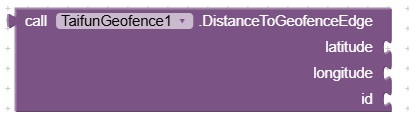
Calculates the distance in meters from a given location to the edge of a geofence.
If the location is inside the geofence, the distance is negative.

Move task (i.e. the app) to the background.
Do not use the close application block 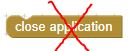 together with this extension. The code behind the close application block terminates the app in an ungraceful way. Please use the MoveTaskToBack method instead.
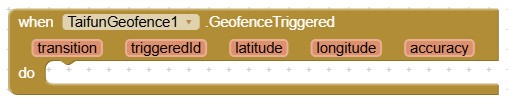
Indicates that geofence has been triggered.
Note: This event only will fire if the app is up and running.
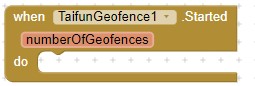
Indicates that geofence monitoring has been started.
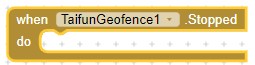
Indicates that geofence monitoring has been stopped.

Indicates that location changed event occurred.

Indicates that location tracking has been started.

Indicates that location tracking has been stopped.
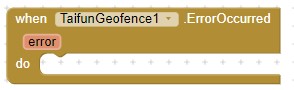
Indicates that an Error occurred.
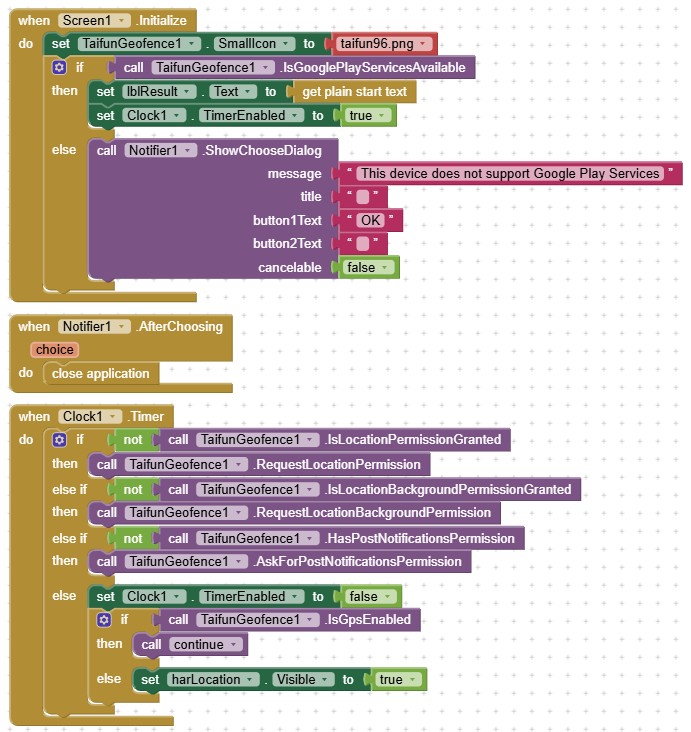
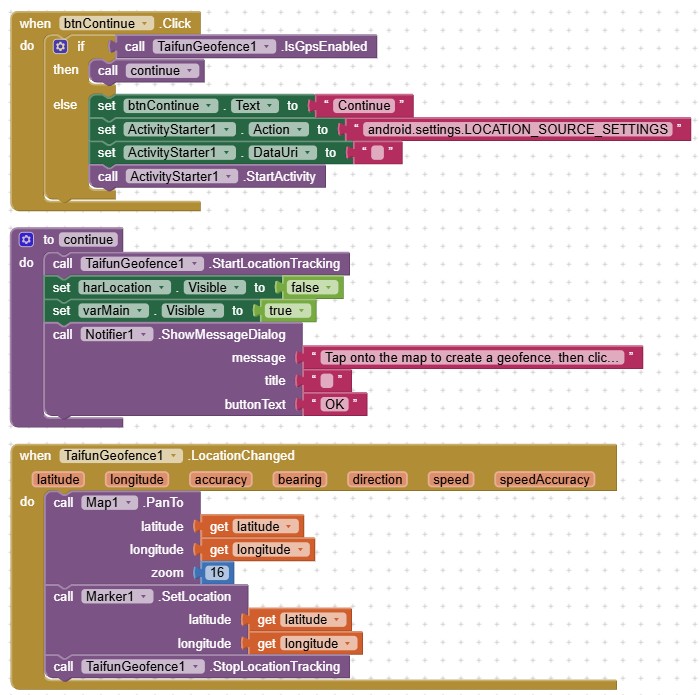
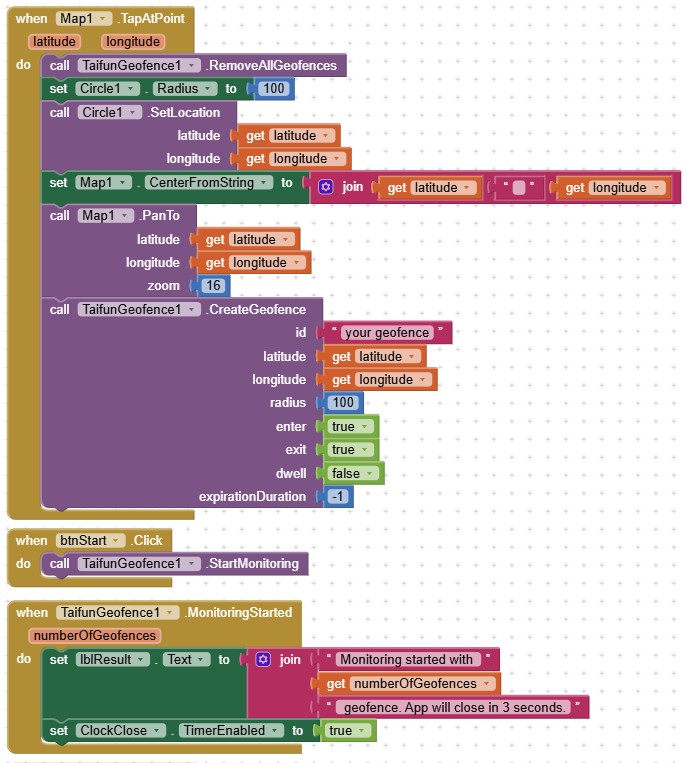
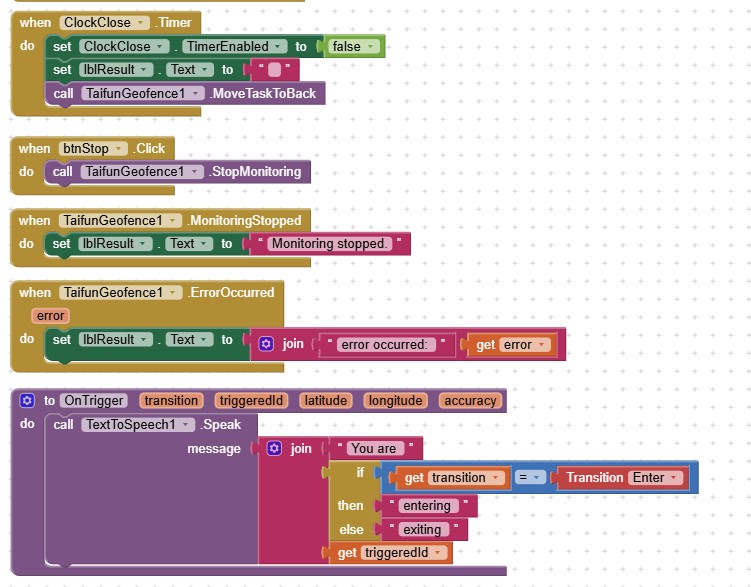
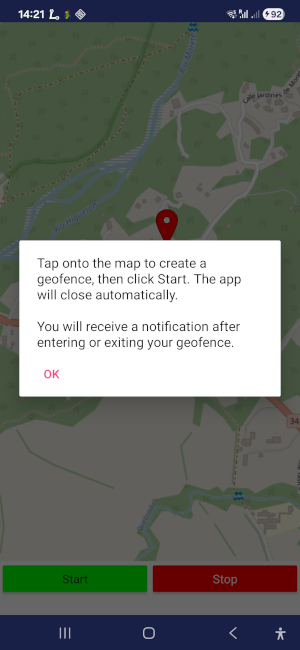
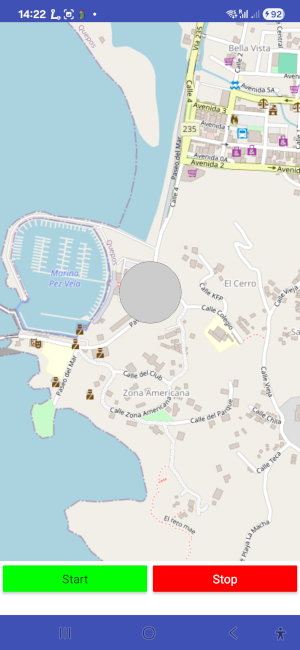
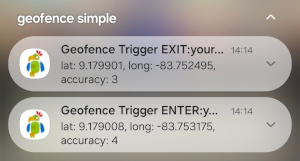
Version 6 tested successfully on Samsung Galaxy A54 running Android 15.

 App Inventor,
Developing and maintaining snippets, tutorials and extensions for App Inventor takes a lot of time.
I hope it saved some of your time. If yes, then you might consider to donate a small amount!
or donate some mBTC to  Address:
1Jd8kXLHu2Vkuhi15TWHiQm4uE9AGPYxi8

Thank you! Taifun
Download free version of TaifunGeofence extension (aix file), which is restricted to 2 geofences
Download geofence simple example project (aia file)
App Inventor
You can buy this extension (aix file).
With your payment you accept the
terms and conditions below.
Payment options
1. 
Please transfer 15 USD via Paypal
to Pura Vida Apps

2.
Then send me the transaction id by email and
tell me the extension you are interested in.
After having received your payment I will be happy to send the download link to you. Please let me know your Google account!
I usually will send the download link not later than 24 hours after having received your payment.
Thank you! Taifun
Site Content © 2010 - 2025 Pura Vida Apps using the
 Foundation Framework.
icon found at openclipart.org